Open any article in Safari, tap Offprint, and keep a clean copy. One tap, instant preview, share anywhere — no copy-pasting, no account.
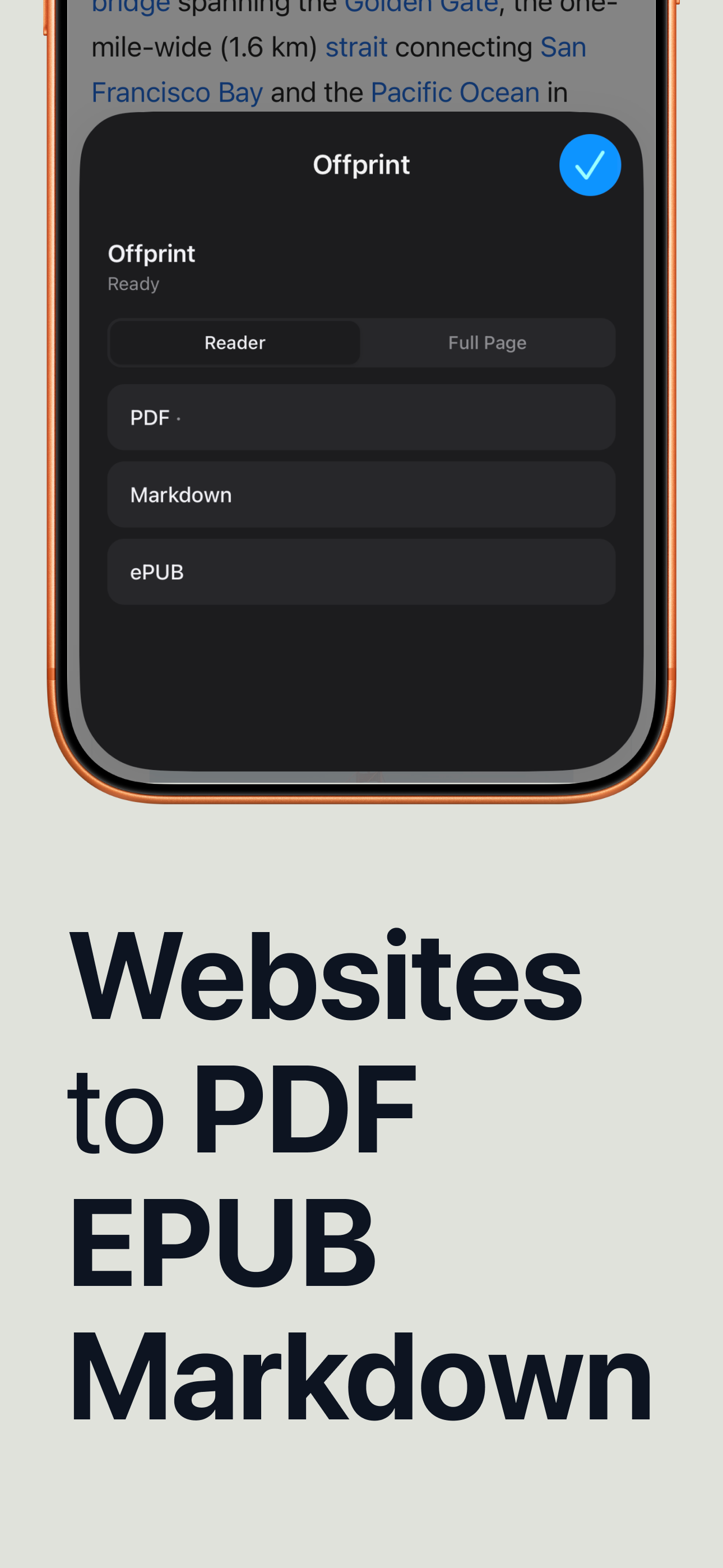
Pick the format you actually use. Reader mode keeps just the article; full-page mode keeps everything. Offprint builds the file right on your phone.
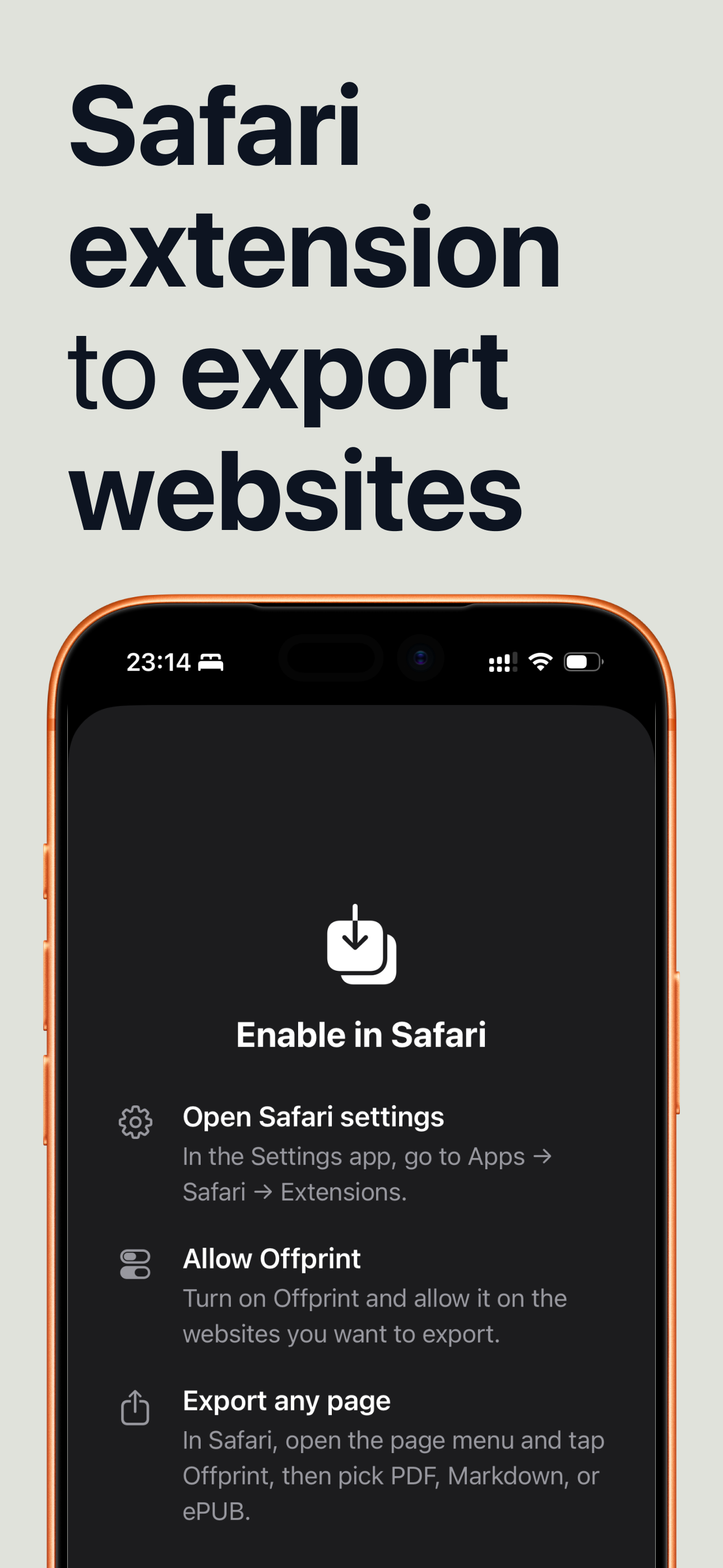
No switching apps, no pasting URLs. Enable Offprint once, then export from the Safari page menu whenever you find something worth keeping.
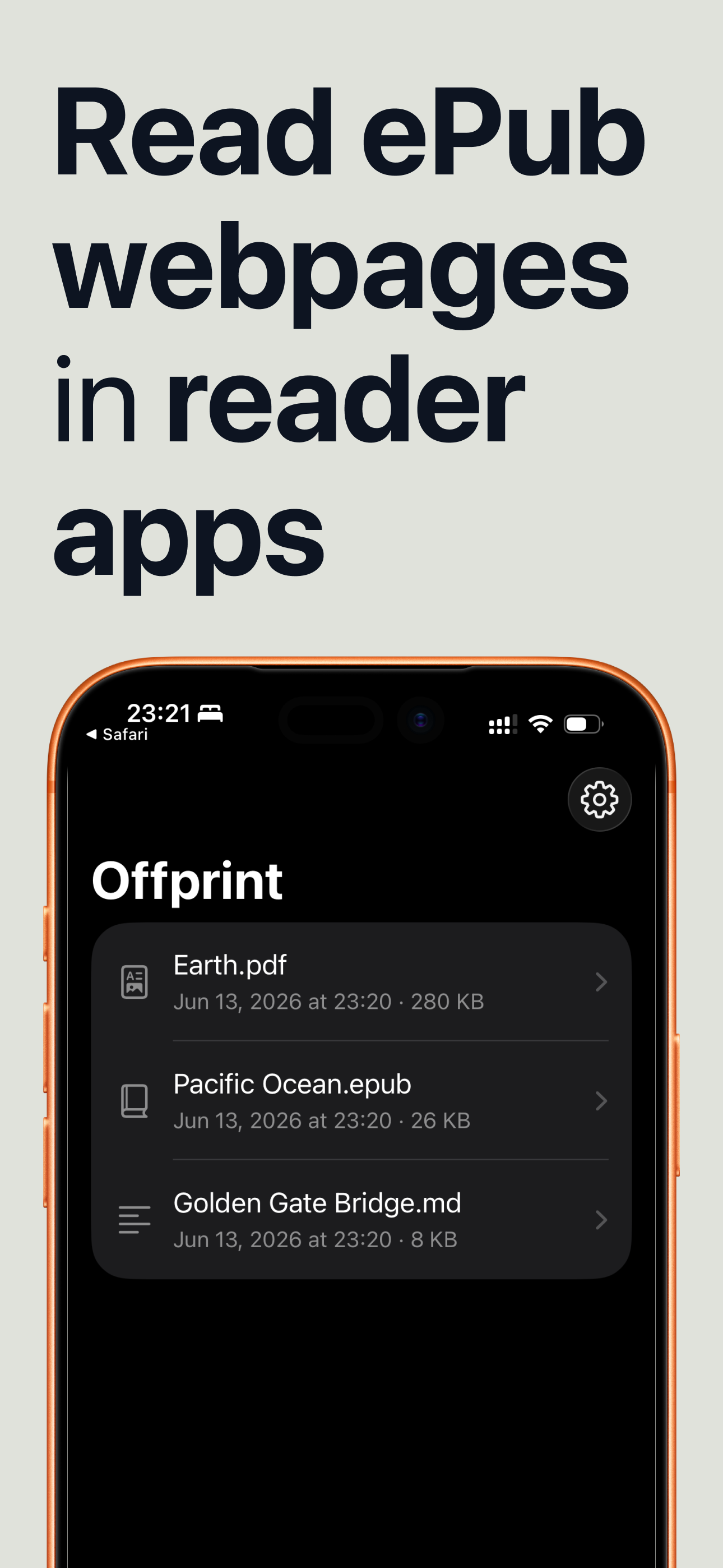
Share an EPUB to Apple Books or your Kindle, drop a Markdown file into Obsidian or Notion, or archive a PDF to Files — straight from the share sheet.
Offprint strips the ads, banners, and pop-ups and keeps what matters — the text, the images, and the structure of the article.
A paginated PDF, a real EPUB e-book, or plain Markdown — pick the one that fits where the page is going.
Extracts just the article — no ads, no navigation, no cookie banners. Or switch to full-page mode when you need everything.
See exactly what you'll get before you share it — no surprises, no broken layouts after the fact.
AirDrop it, save to Files, send to Kindle, or attach to mail — the file drops straight into your workflow.
Conversion happens on your device — nothing is uploaded, nothing is tracked, no account required.
Build an offline shelf of articles for flights and commutes, or a Markdown knowledge base you actually own.
Three: a clean paginated PDF, a real EPUB e-book for any e-reader, and Markdown that drops straight into notes apps like Obsidian, Notion, or Bear.
Offprint is a Safari web extension. Enable it once in Settings, then open the page menu in Safari, tap Offprint, pick a format, and share. See the setup guide for the exact steps.
Yes. Export an EPUB and share it to Apple Books, Send to Kindle, or any e-reader app through the standard iOS share sheet.
Conversion happens entirely on your device. Nothing is uploaded and nothing is tracked. See the Privacy Policy for full details.
Offprint is free. No subscription, no account — just save the page in front of you.
 Offprint